
 Indonesia
 English
 Français
 日本語
 Melayu
 ไทย
 中文

ヘルプセンター
Phoenix Scalper に関するガイド、回答、詳細情報をご覧いただけます。
注文方法
以下の手順で Phoenix Scalper の EA をご注文ください。
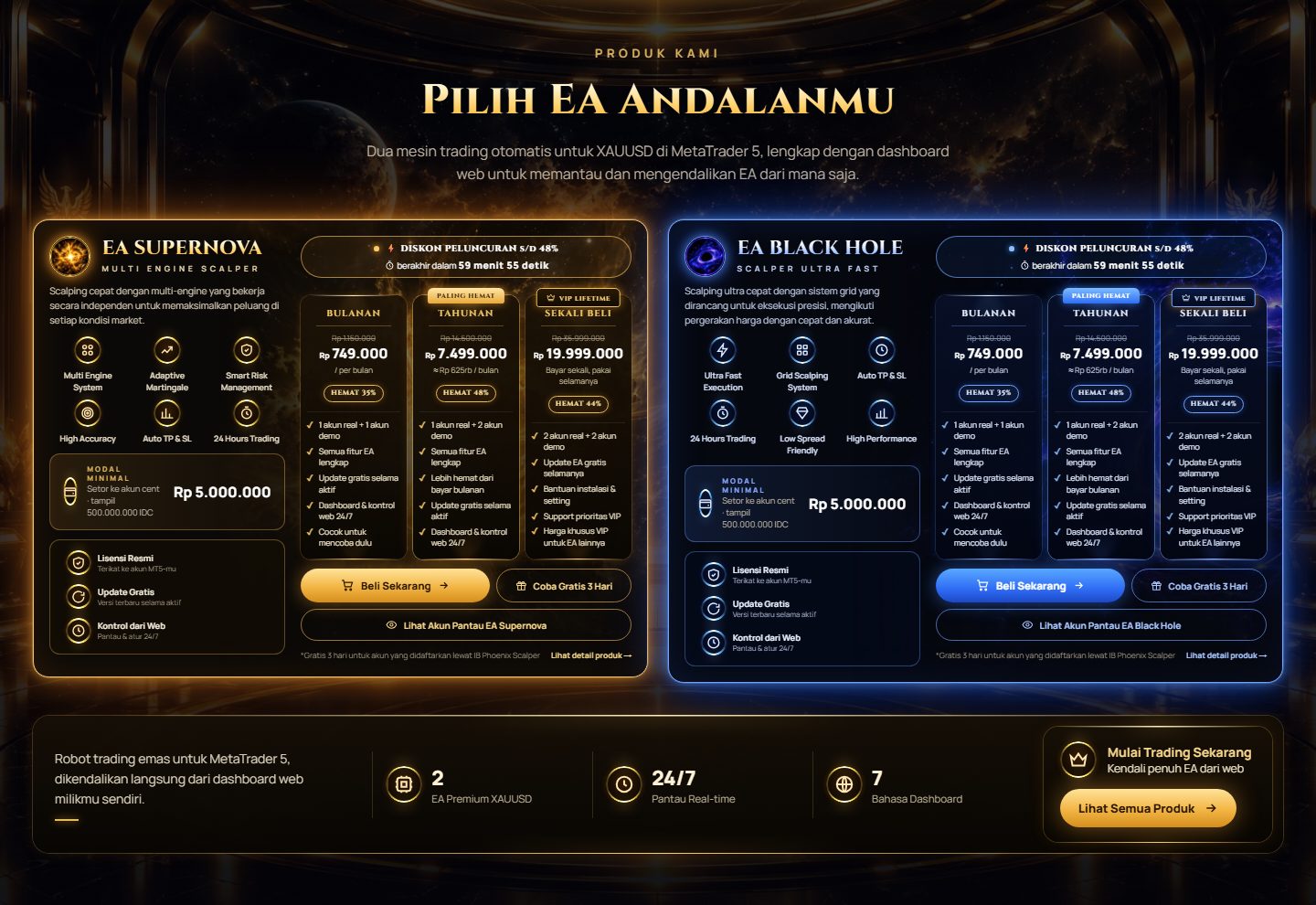
ご希望の EA とプランを選択します。
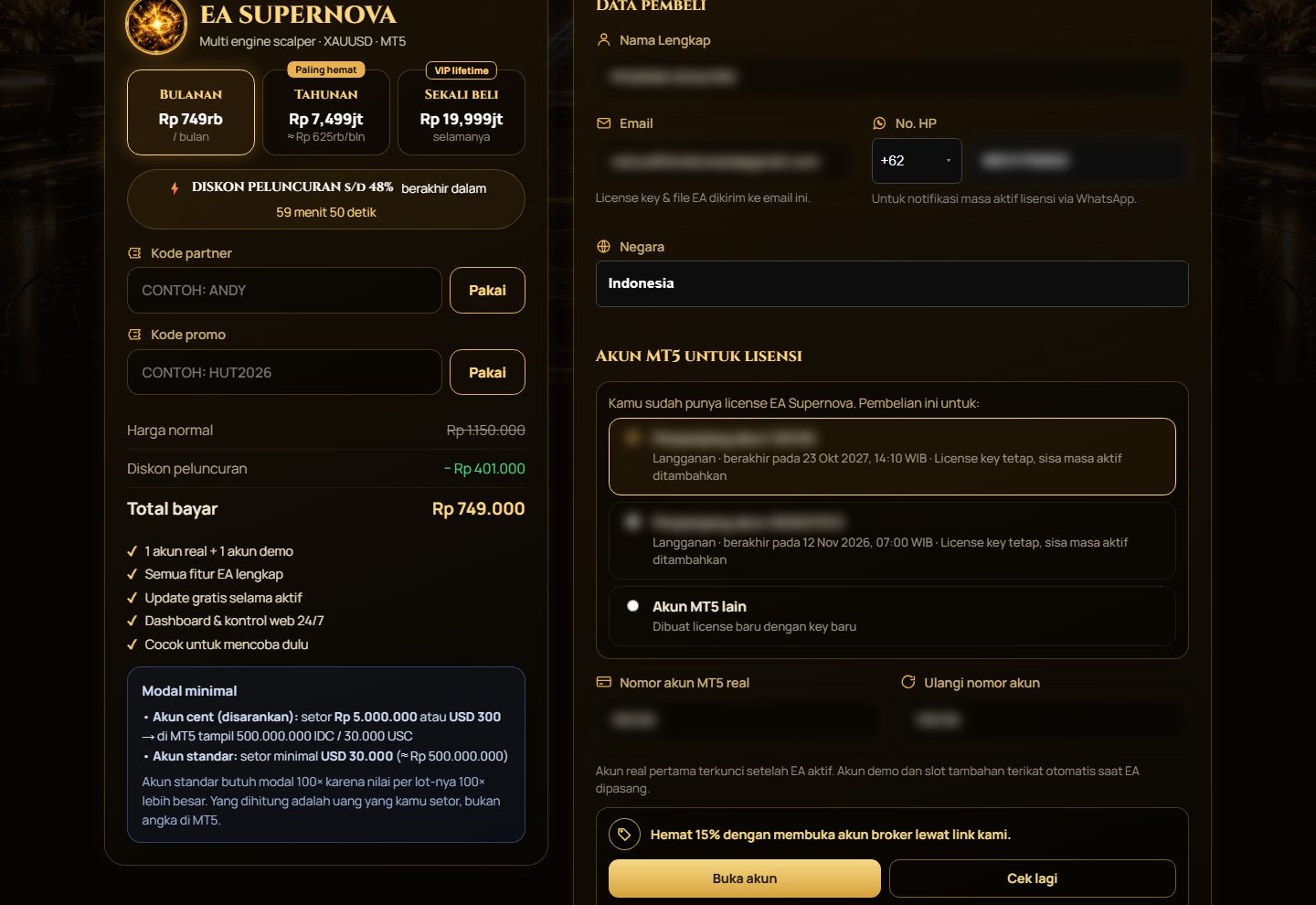
カートに進んでチェックアウトします。
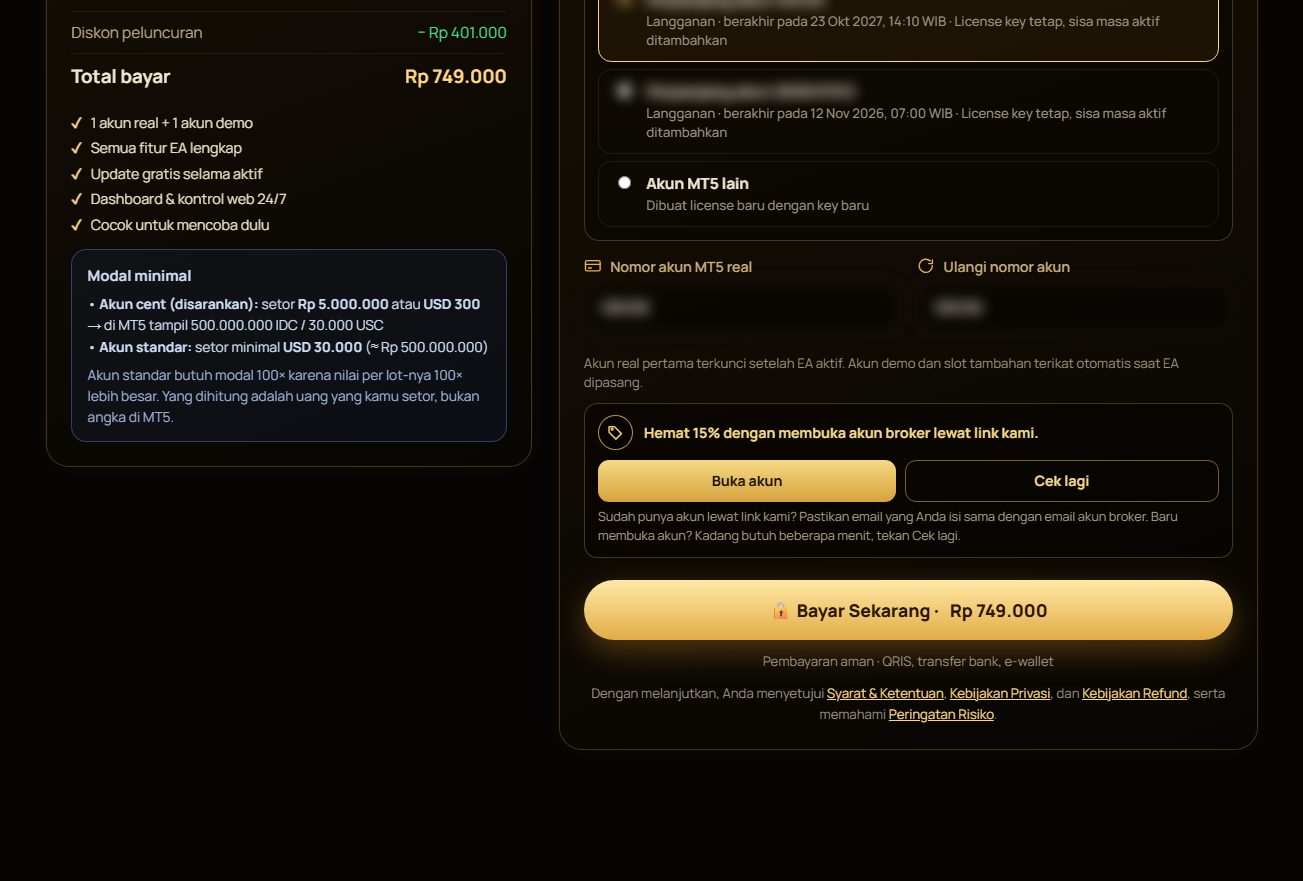
支払い方法を選んで取引を完了します。
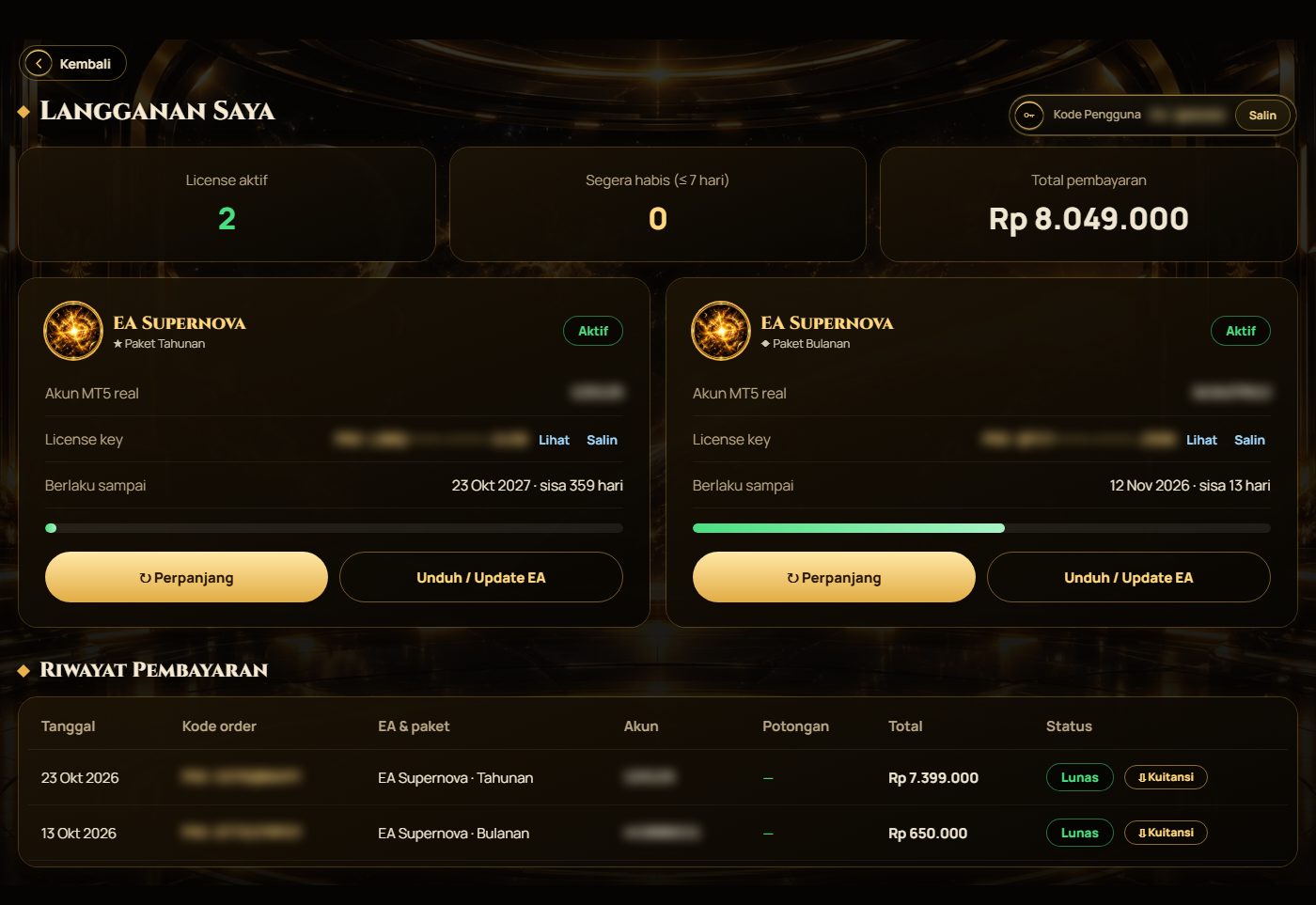
支払い完了後、ライセンスキーが自動送信されます。
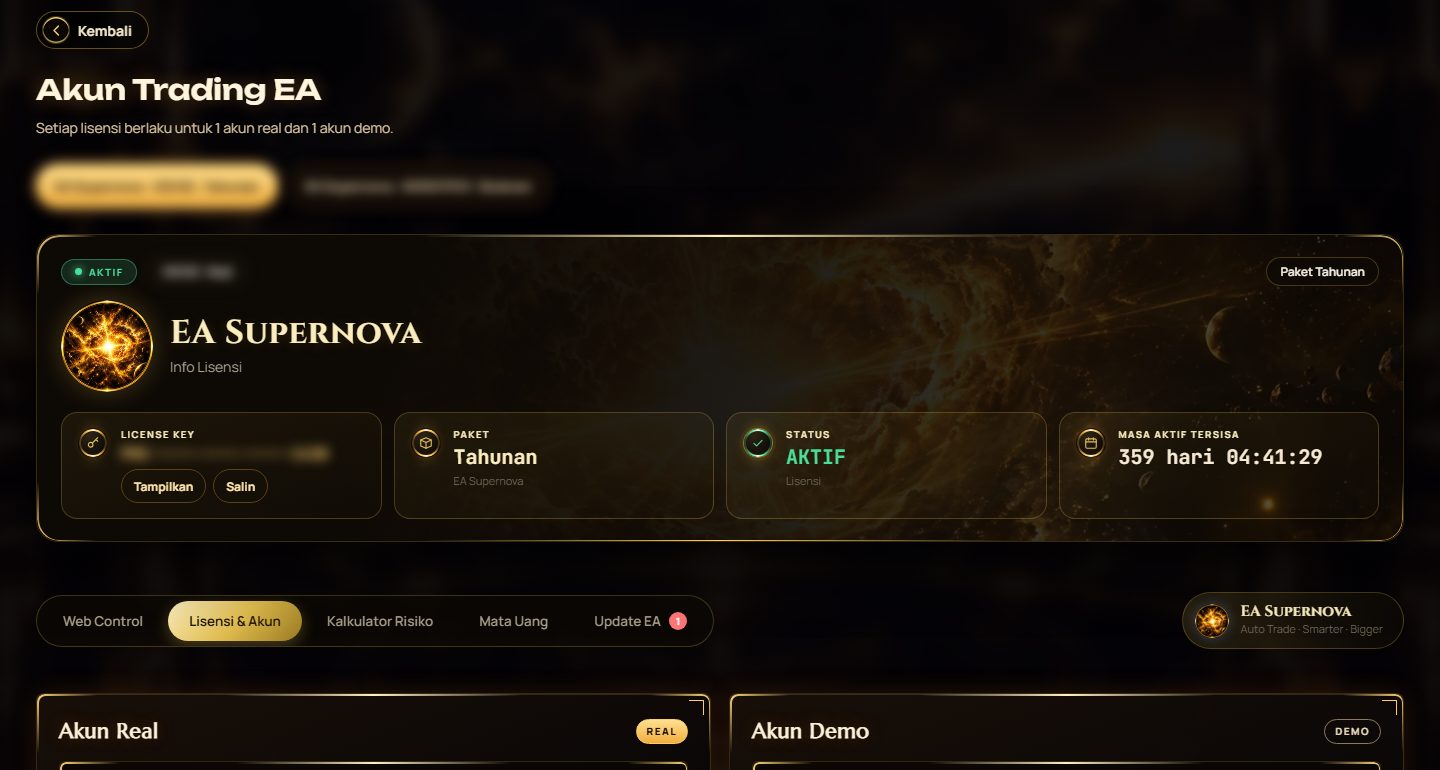
ライセンスキーで有効化し、MT5 に EA をインストールします。
MetaTrader 5 への EA のインストール方法
以下の手順で MetaTrader 5 に EA をインストールします。
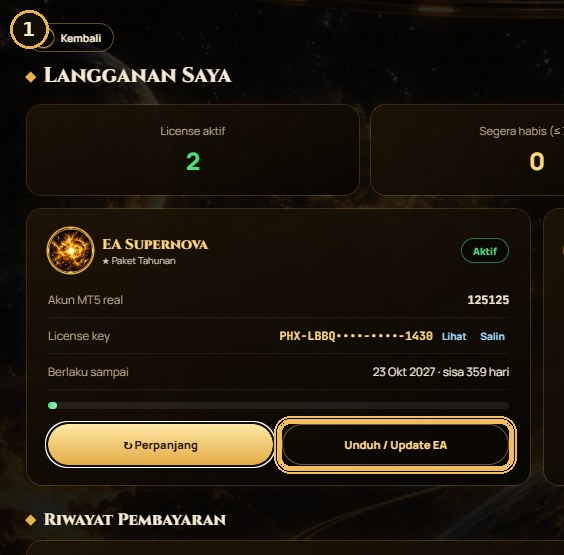
EA取引 › サブスクリプション からEAをダウンロード。
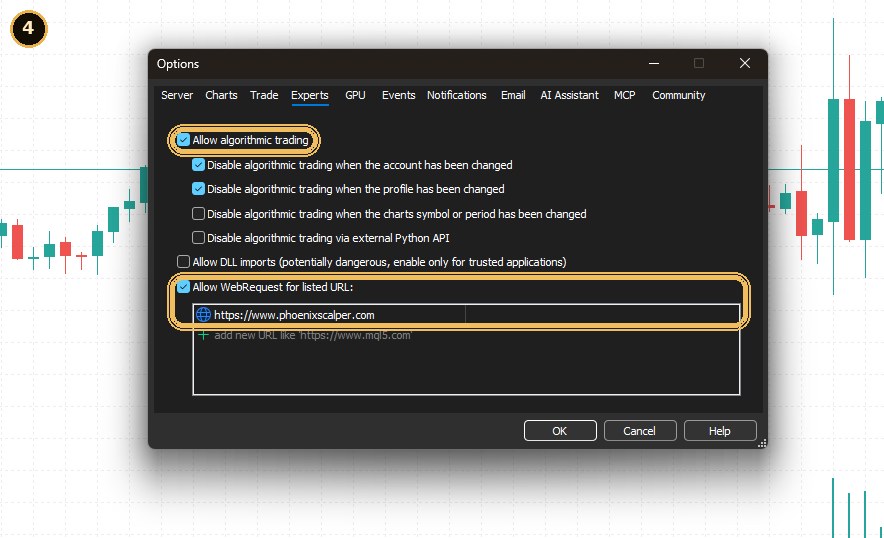
ツール › オプション › エキスパートアドバイザ でサイトのアドレスを追加。
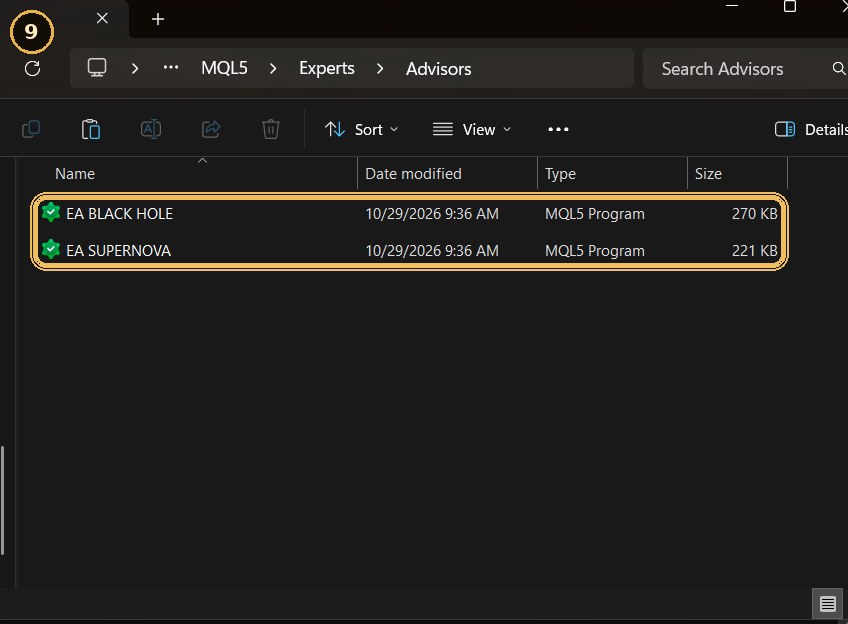
EAファイルを MQL5 › Experts › Advisors にコピー。
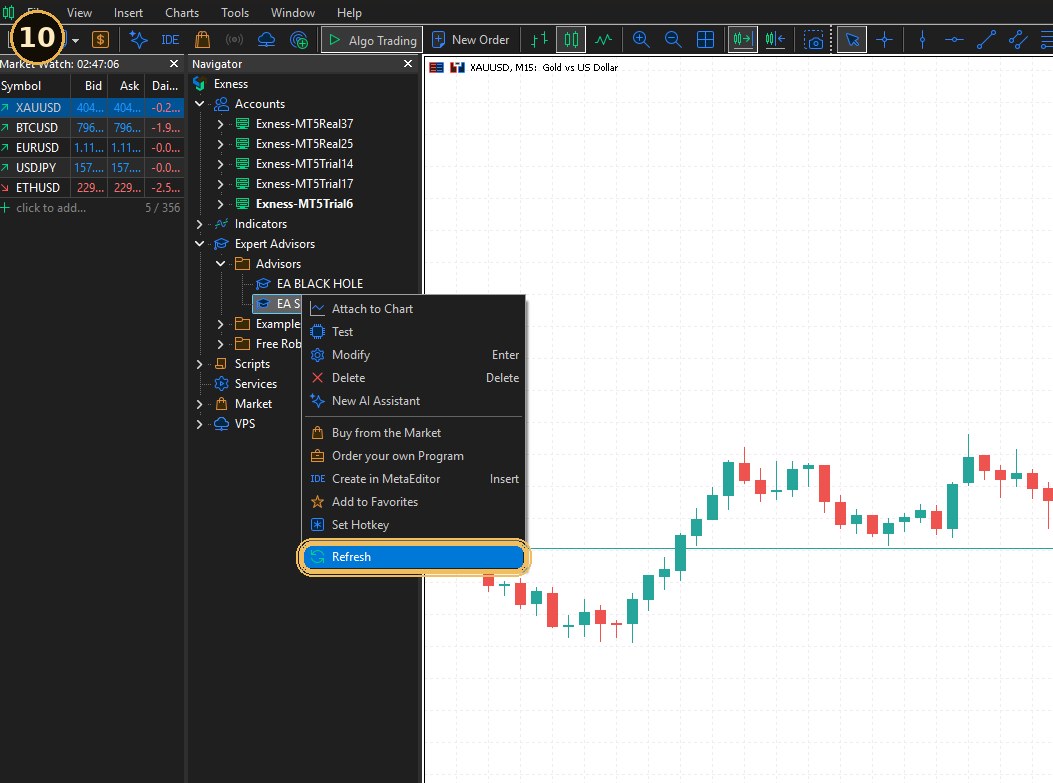
ナビゲーターで「エキスパートアドバイザ」を右クリック › 更新。
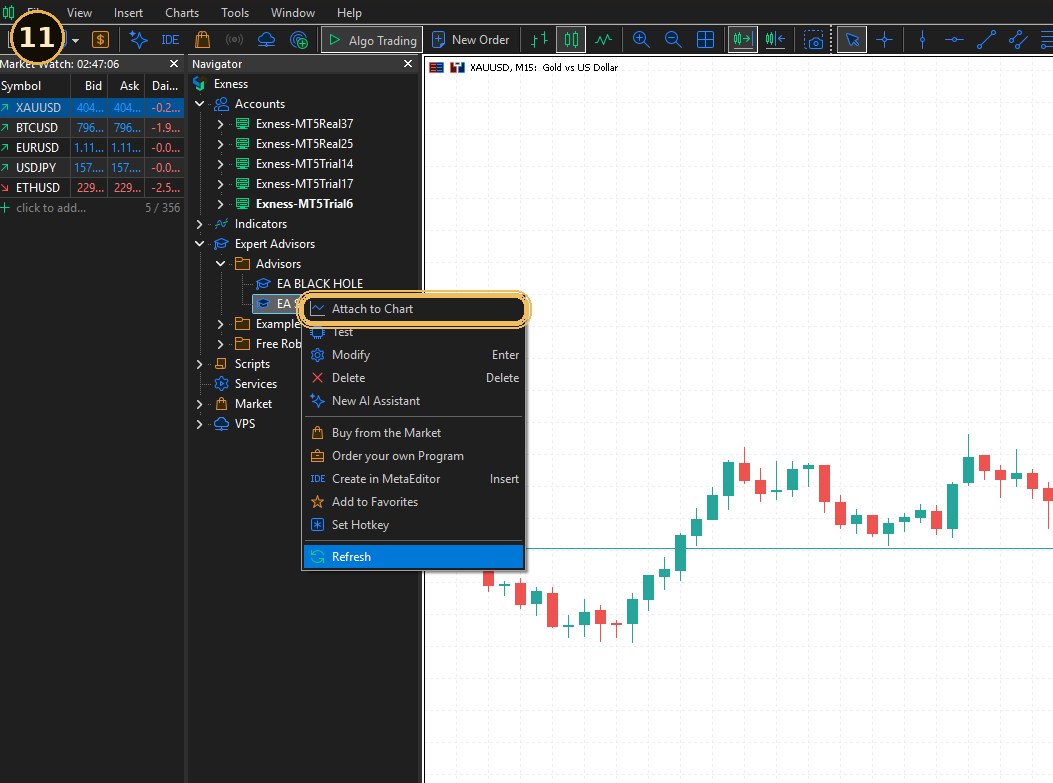
EAをXAUUSDチャートにドラッグし「アルゴ取引を許可」にチェック。
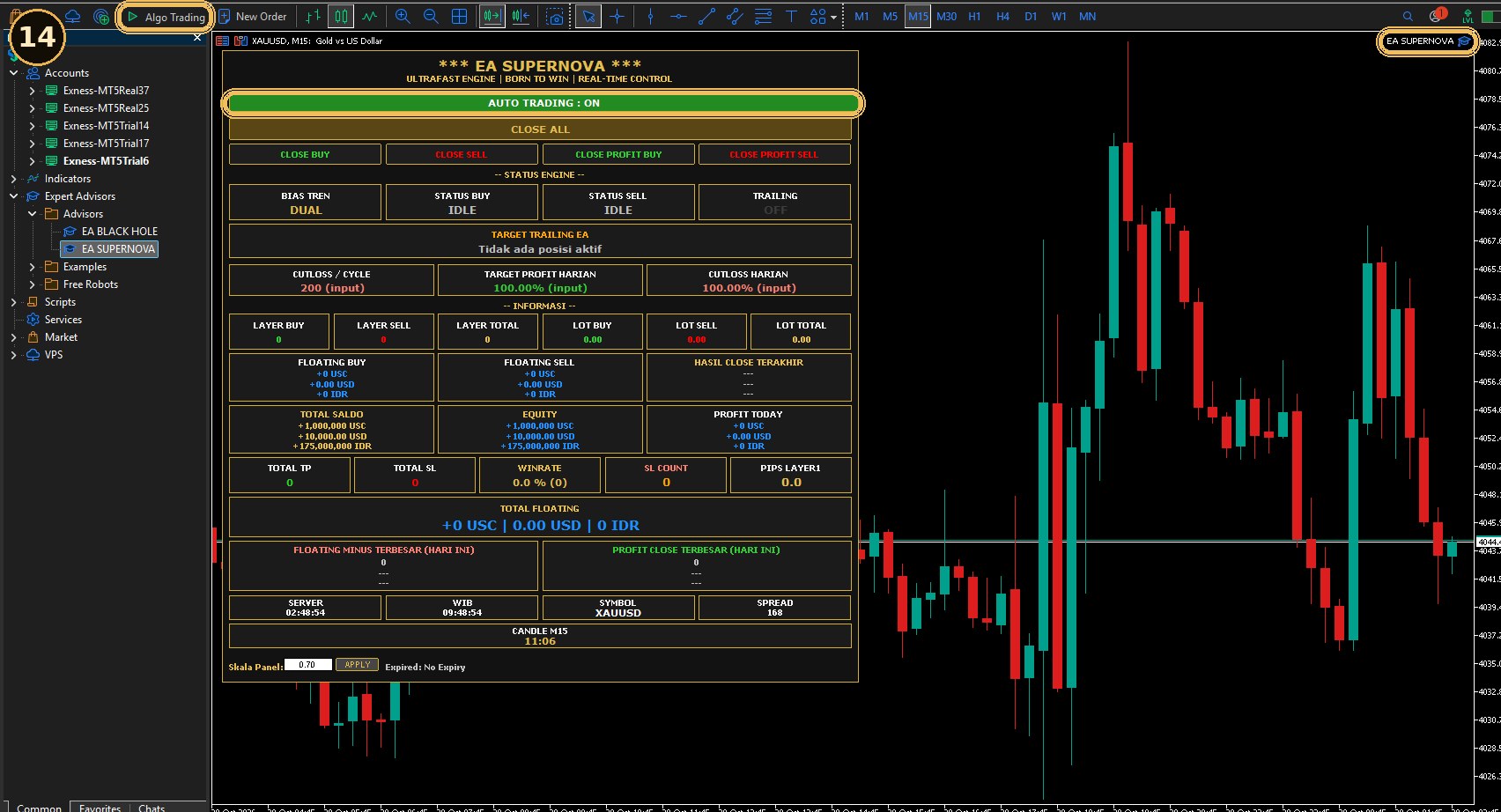
アルゴ取引が緑、EAの状態が ONLINE。
サイトマップ
Phoenix Scalper サイトの主な機能をご覧ください。
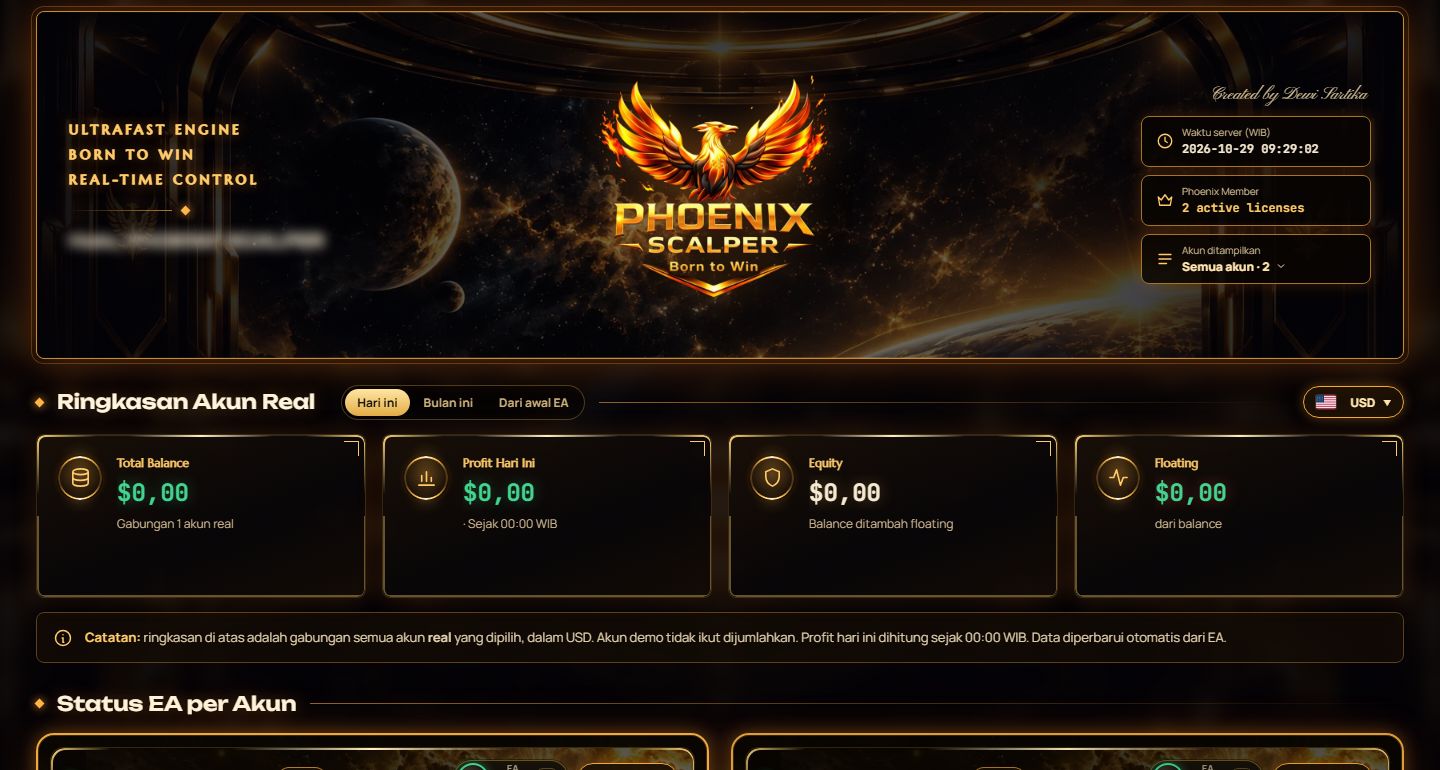
EAの状態、日次利益、勝率、取引履歴を確認できます。
チャート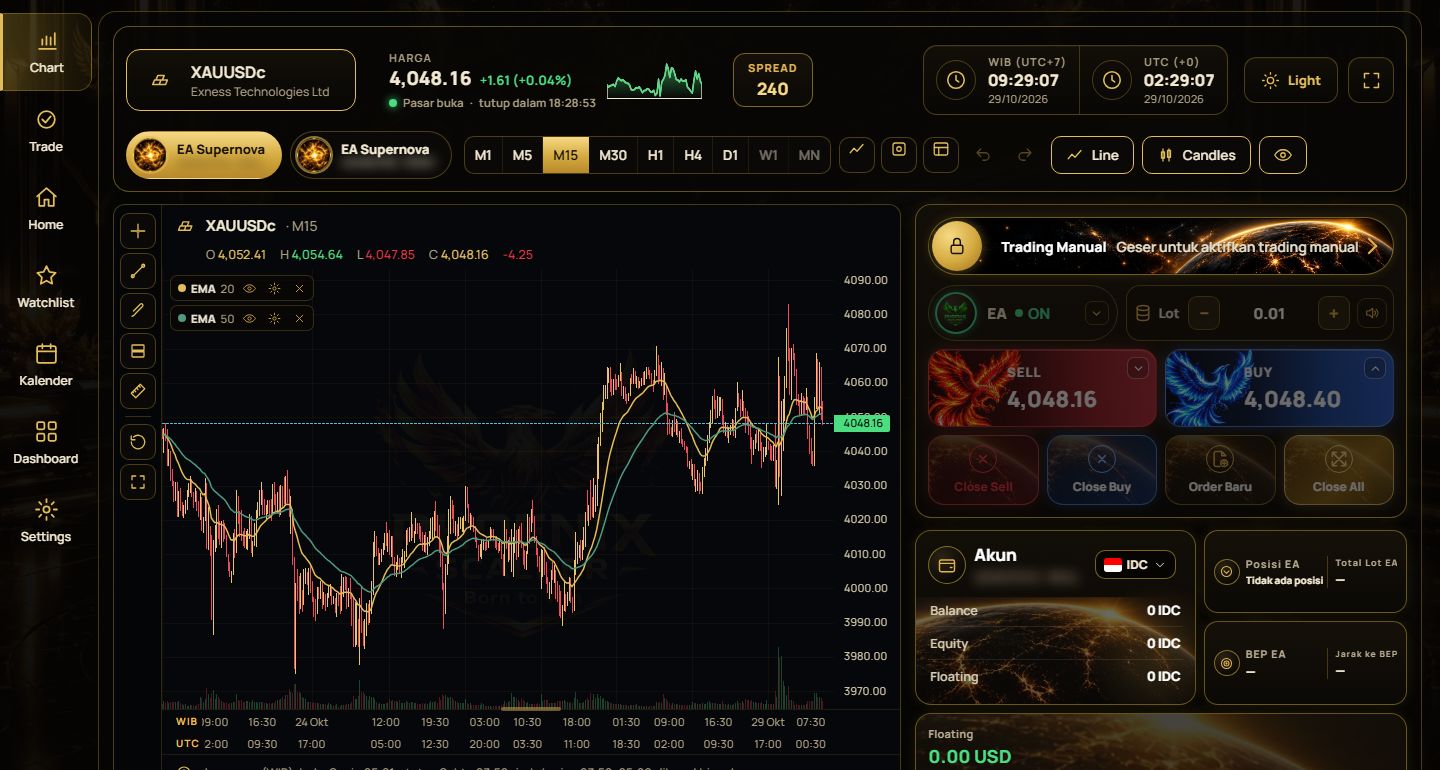
ライブチャート、インジケーター、分析を表示します。
EAコントロール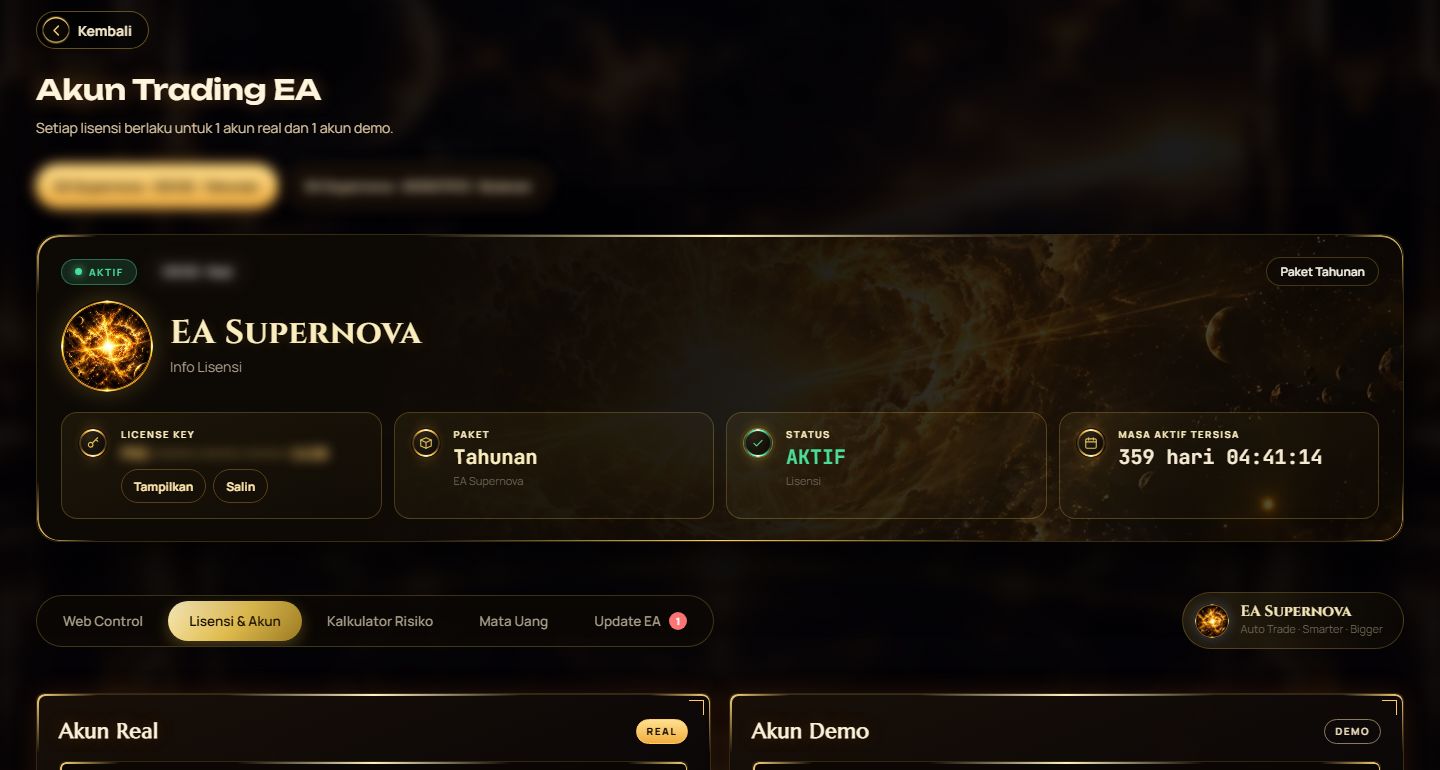
すべての EA パラメータをウェブから簡単に変更できます。
購読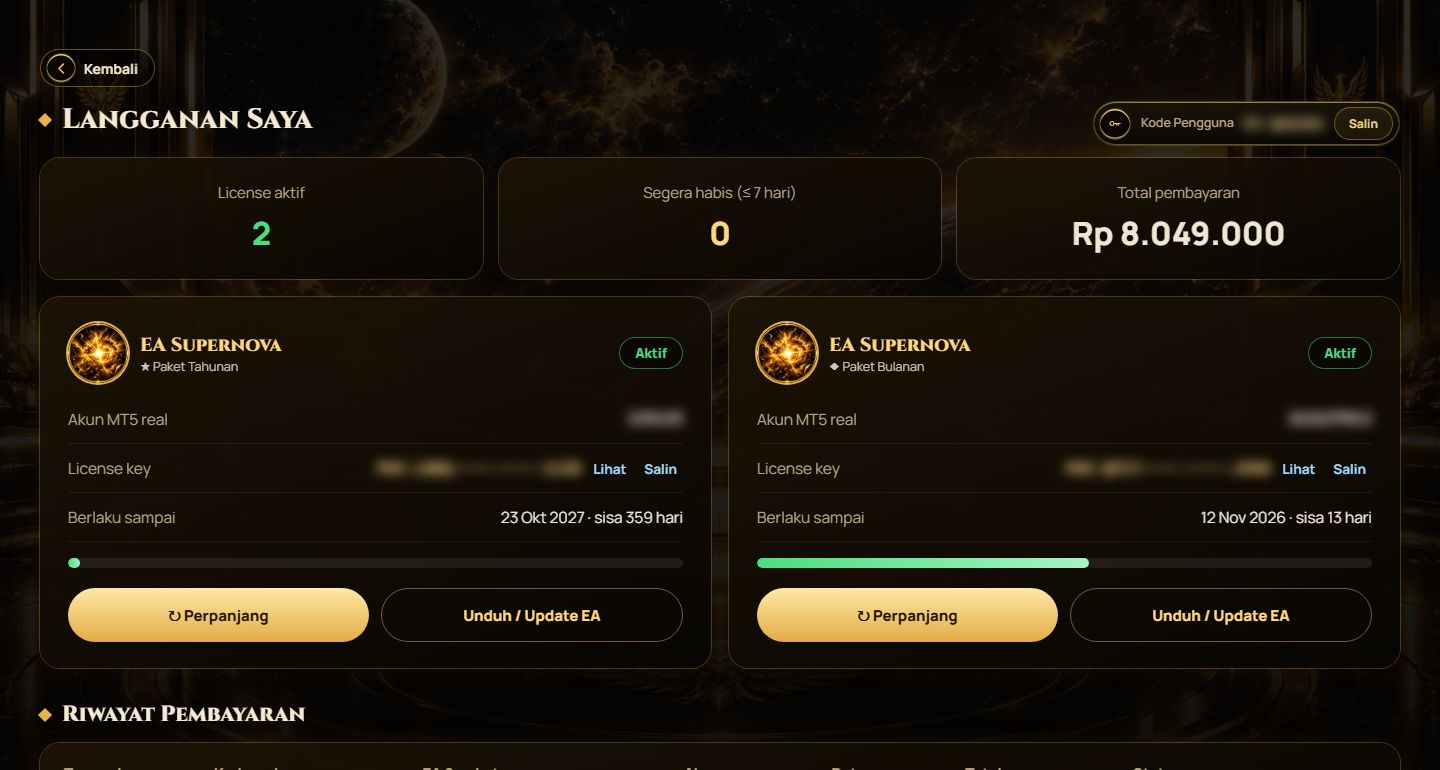
ライセンスの管理・更新、支払い履歴の確認ができます。
取引サマリー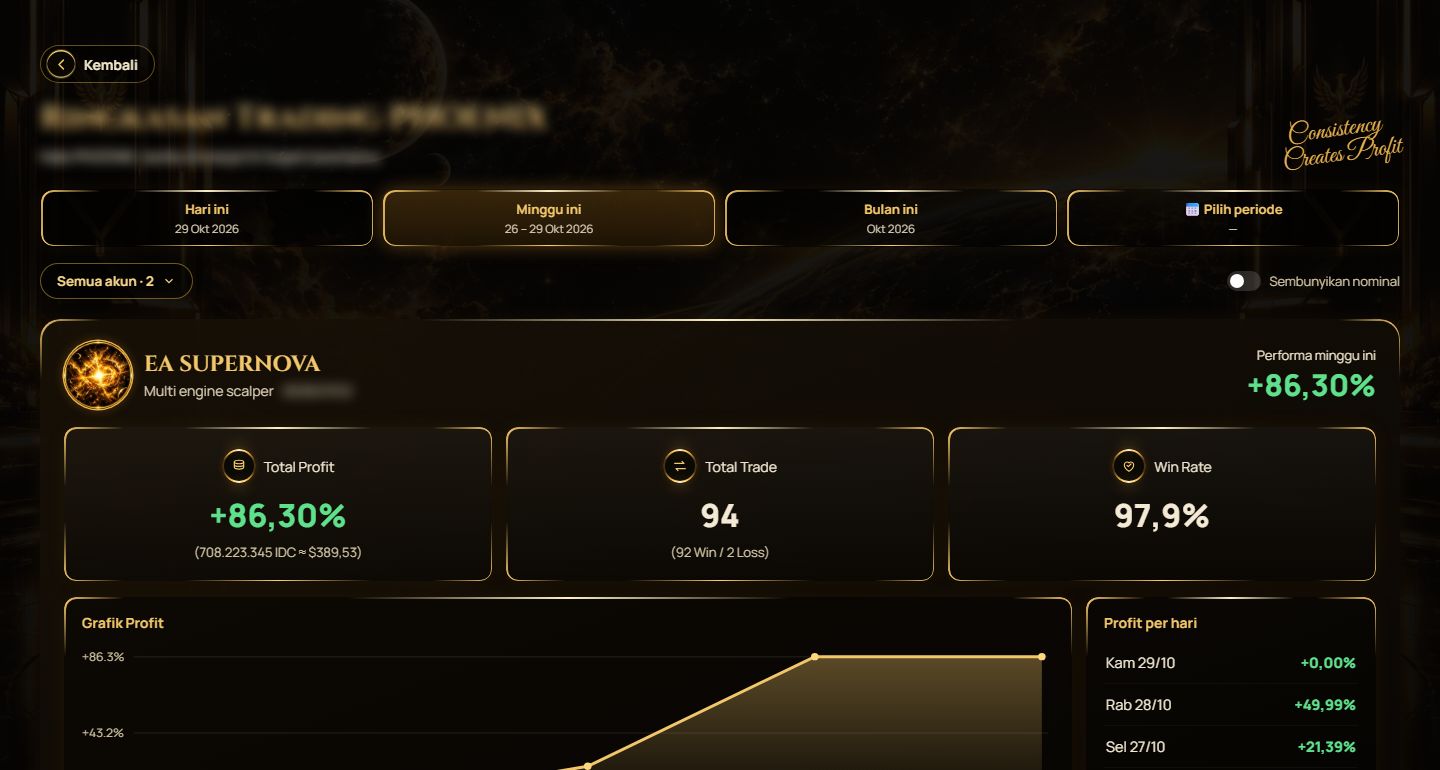
取引レポート、利益、勝率、統計を確認できます。
パートナー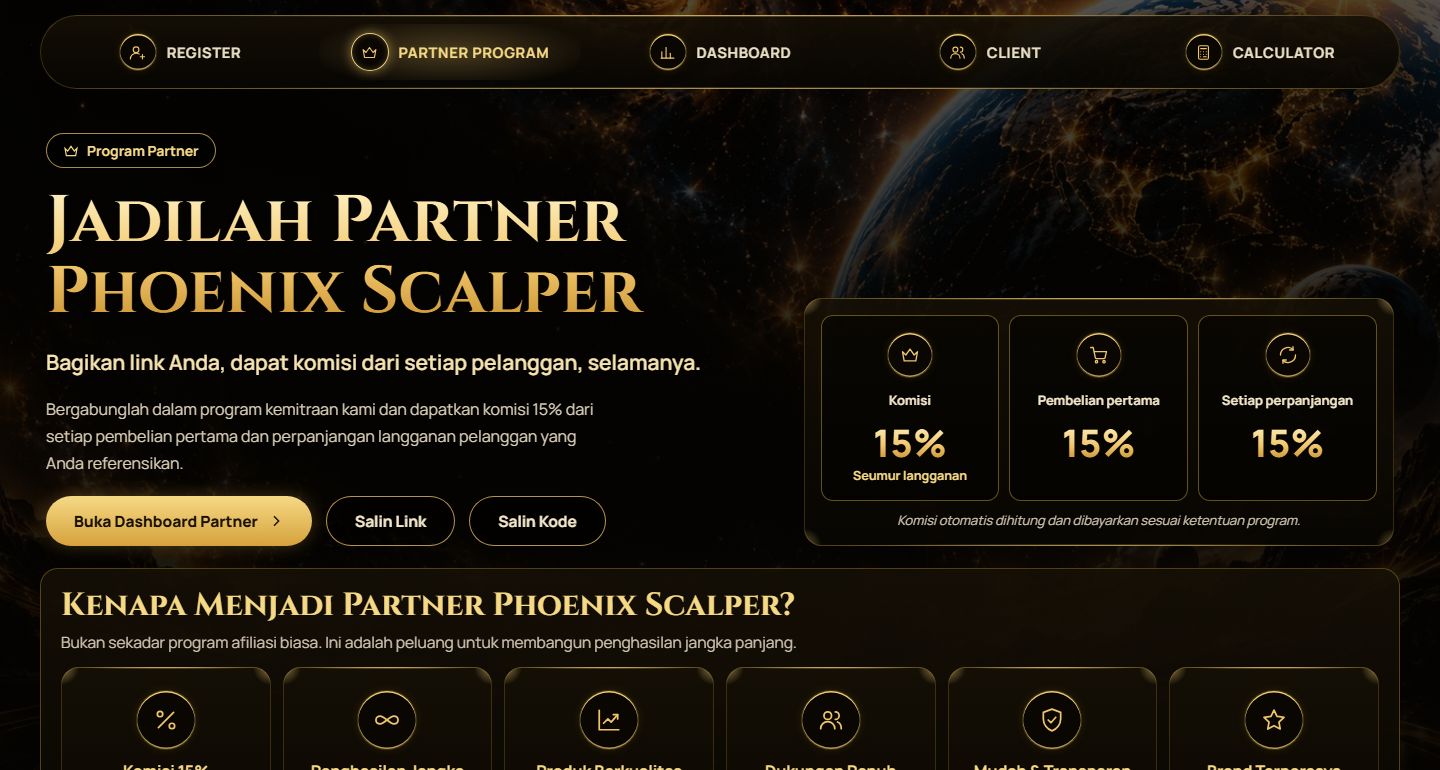
パートナーリンクの取得、報酬と顧客の確認ができます。
経済指標カレンダー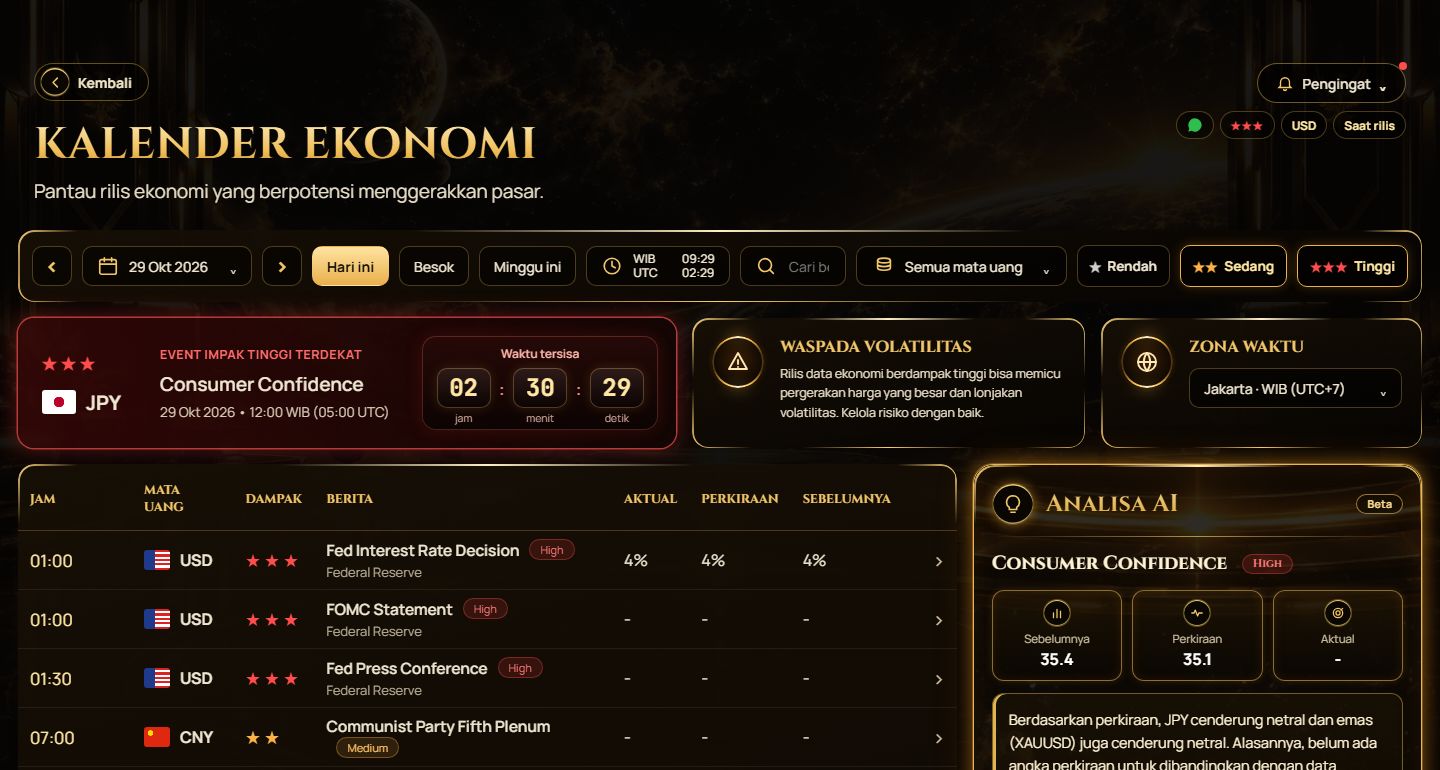
市場に影響する経済ニュースの予定を確認できます。
よくある質問
よくある質問への回答をご覧ください。
注文と支払い
商品とプランを選び、チェックアウトページに入力して支払いを完了してください。支払い完了後、ライセンスキーがメールに自動送信されます。
支払い確認後に自動送信されます。届かない場合は迷惑メールフォルダ、または EA取引 › サブスクリプション をご確認ください。
EA取引 › サブスクリプション を開き、支払い履歴の「領収書」ボタンをクリックします。
EAのインストール
MT5 のアルゴ取引がオン、EA が XAUUSD チャートに設置され、MT5 口座番号がライセンスと一致しているか確認してください。
EA は MT5 が開いている間だけ動作します。24時間稼働させるには VPS をご利用ください。
アカウントとライセンス
EA取引 › サブスクリプション を開き、更新したいライセンスの「更新」をクリックします。
はい、EAコントロールから変更できます。IB割引で購入したライセンスや試用ライセンスは、当社の IB リンク経由で登録された口座にのみ移行できます。
パートナー
パートナーシップ › パートナー を開いて登録し、パートナーリンクを共有して報酬を獲得します。
すべての報酬と顧客はパートナーダッシュボードに記録されます。
技術と取引
おすすめのブローカーはブローカーページでご確認ください。
いいえ。取引にはリスクがあり、過去の結果は将来を保証しません。リスクを許容できる資金のみをご利用ください。
その他
WhatsApp、24時間対応の AI アシスタント、またはメール supportphoenixscalper@gmail.com でご連絡ください。
ポリシー
知っておくべき重要な情報です。
Privacy Policy
Effective date: October 3, 2026
This policy explains how Phoenix Scalper Teknologi ("we") collects, uses, and protects your personal data when you use phoenixscalper.com and our Expert Advisor (EA) products. By creating an account or making a purchase, you agree to the handling of your data as described in this policy.
1. Data we collect
- Identity & contact data: full name, email address, phone number (with country code), and country.
- Trading account data: MetaTrader 5 account number, account type, and the broker you choose.
- Order data: the plan purchased, payment amount, payment status, payment method, and license history.
- Data from the EA: while the EA runs on your MT5 account, it sends data to our server for license verification and the dashboard, such as EA status and a daily profit summary.
- Technical data: IP address, browser type, and language preference, which are needed for the website to work securely.
We do not store your credit card, debit card, or bank account details. Payments are processed directly by our payment provider, Midtrans.
2. How we use your data
- To process your orders and payments.
- To create, deliver, and verify your EA license on your MT5 account.
- To provide a dashboard for monitoring and controlling the EA.
- To send important information, such as your license key, license expiry reminders by email or WhatsApp, and product updates.
- To provide customer support.
- To keep the service secure and prevent license misuse.
- To comply with legal obligations, including transaction record-keeping.
3. Third parties that receive data
We do not sell your personal data. Data is shared only as necessary with:
- Midtrans, to process payments.
- Server and hosting providers, where our website and database run.
- Google, where backup copies of data are stored.
- Email and WhatsApp service providers, to send you messages.
- Partner brokers, only for plans that require registration through our referral link, to match your MT5 account number.
- Competent authorities, when required by law.
Some of these providers may store data on servers located outside Indonesia.
4. Cookies
This website only uses cookies that are necessary for it to work: to keep you logged in, to secure forms, and to remember your language preference. We do not use tracking or advertising cookies.
5. Security and retention
Data is transmitted over an encrypted connection (HTTPS), passwords are stored in encrypted form, and access to data is restricted. Backups are made daily and kept for no longer than 30 days. Account data is kept while your account is active. Transaction records may be kept longer where required by law, for example for tax purposes.
6. Your rights
Under Indonesian Law No. 27 of 2022 on Personal Data Protection, you have the right to:
- know about and obtain a copy of your personal data;
- correct inaccurate data;
- request deletion of your data, except data we are legally required to keep;
- withdraw your consent. Please note that withdrawing consent may prevent us from providing the service, such as license verification.
To exercise these rights, contact us at the email address below. We will respond to your request as soon as possible and within the period required by applicable law.
7. Age requirement
Our services are intended for users aged 18 and over. We do not knowingly collect data from minors.
8. Changes to this policy
We may update this policy from time to time. We will inform you of significant changes by email or on the website, and the effective date at the top of this page will be updated.
9. Contact
Phoenix Scalper Teknologi
Email: supportphoenixscalper@gmail.com
Terms & Conditions
Effective date: 3 October 2026
These Terms & Conditions govern your use of phoenixscalper.com and your purchase of Expert Advisor (EA) software licenses from Phoenix Scalper Teknologi ("we"). By creating an account or making a purchase, you agree to these Terms & Conditions, together with our Privacy Policy and Refund Policy.
1. About our service
We sell licenses to use automated trading software (Expert Advisors) for the MetaTrader 5 platform. We are not a broker, investment adviser, or fund manager. We do not accept, hold, or manage your trading funds. All trades take place in your own account, with the broker of your choice.
2. User accounts
- You must provide accurate information, including your name, email, and phone number, and keep it up to date.
- You are responsible for keeping your password confidential and for all activity in your account.
- Contact us immediately if you suspect someone else is using your account.
3. License
- Licenses are personal, non-exclusive, and non-transferable. You purchase the right to use the EA, not ownership of the software.
- One license covers 1 real account and 1 demo account.
- The real account is the MT5 account number you enter at checkout. Please make sure it is correct; the checkout form asks you to type it twice.
- As long as the EA has never been active on that real account, you can correct the real account number yourself from the dashboard, for example after a typo.
- Once the EA becomes active for the first time on the real account, the real account number is permanently locked and cannot be changed from the dashboard. The EA can only run on that real account.
- Moving the license to another real account is only possible through support, with our approval, at most once every 12 months. We may refuse requests that indicate license misuse.
- The demo account is bound automatically to the first demo account that runs the EA. The account type (real or demo) is determined from MetaTrader 5 data, not from what you enter.
- The demo account can be changed from the dashboard, at most once every 30 days.
4. License period & renewal
- The license period follows the plan you purchased and starts when your payment succeeds.
- Life Time plans give you the right to use the EA with no time limit and no renewal fees. Updates and support are provided while Phoenix Scalper is in operation. If Phoenix Scalper ceases operations, we will provide a version of the EA that can continue to be used on the accounts registered to your license without requiring the license server. We do not guarantee that the EA will remain compatible with future changes to MetaTrader 5 or brokers.
- We will send reminders approximately 7 days, 3 days, and 3 hours before your license expires, by email and/or WhatsApp, and show a countdown of your license period in the dashboard.
- Renewal is manual, through the dashboard. There is no automatic billing.
- If you renew before your license expires, the new period is added after the current end date, so no days are lost. If your license has already expired, the new period starts when the renewal payment succeeds.
- Your license key stays the same after renewal. You do not need to reinstall the EA.
5. When your license expires (grace mode)
To protect open positions, the EA does not stop immediately when your license expires. Instead, it keeps running normally for a 24-hour grace period, then enters grace mode:
- The EA does not open new cycles.
- Cycles already in progress continue as normal, including adding layers when needed, until they are closed by take profit or cut loss. The EA then stops.
- This applies per direction. For example, once the buy cycle has closed, the EA will not open new buy positions, while a sell cycle still in progress continues until it finishes.
- During grace mode, you remain responsible for monitoring your account.
6. Prices & payment
- Prices are charged in Indonesian Rupiah (IDR) through our payment provider. Prices shown in other currencies are estimates only.
- The EA file and license key are sent automatically to your email once your payment succeeds.
- We may change prices at any time. Price changes do not affect plans you have already paid for.
7. Prohibited use
- Sharing, reselling, renting, or distributing the EA file or license key to anyone else.
- Decompiling, reverse engineering, or modifying our software.
- Attempting to bypass the license system, including running the EA on accounts not registered to the license.
- Using our service for any unlawful activity.
Violations may result in your license being deactivated without a refund.
8. Trading risk & limitation of liability
- Trading involves high risk. Please read the Risk Warning at the bottom of this page.
- We do not promise profits of any kind. Past results, backtests, and simulations do not guarantee future results.
- All trading decisions, broker selection, EA settings, and the resulting risks are entirely your responsibility.
- To the extent permitted by applicable law, our liability is limited to the amount you paid for the license concerned.
9. Service availability
We work to keep the license server and dashboard running, but the service may be interrupted from time to time, for example during maintenance or technical issues. We are not responsible for interruptions caused by your broker, VPS, internet connection, or MetaTrader 5.
10. Refunds
Refunds are governed by our Refund Policy.
11. Suspension & termination
We may suspend or terminate your account or license if you violate these Terms & Conditions, or while a chargeback is in progress as described in our Refund Policy.
12. Changes to these Terms
We may update these Terms & Conditions. The latest version, with its effective date, is always available on this page. Changes do not shorten the period of any plan you have already paid for.
13. Governing law
These Terms & Conditions are governed by the laws of the Republic of Indonesia. Disputes will first be resolved amicably through discussion. Nothing in these Terms limits any consumer rights you have under applicable law.
14. Contact
Questions about these Terms & Conditions can be sent to supportphoenixscalper@gmail.com.
Refund Policy
Effective date: 3 October 2026
This policy explains when a purchase of an Expert Advisor (EA) license from Phoenix Scalper Teknologi ("we") is eligible for a refund, and when it is not. By making a purchase on phoenixscalper.com, you agree to this policy.
1. Nature of the product
Our products are digital software. Once payment is received, the EA file (.ex5) and license key are sent automatically to your email and can be used immediately. Because digital products cannot be returned like physical goods, refunds are only given in the specific situations described below.
2. Situations not eligible for a refund
- You feel the EA is not a good fit, you change your mind, or you decide not to use it.
- Trading losses, including the loss of some or all of your capital, while using our EA.
- Trading results that differ from backtests, simulations, or other users' results.
- Mistakes on your side, such as choosing the wrong broker, account type, MT5 account number, plan, or EA settings.
- Problems caused by your broker, VPS, internet connection, or MetaTrader 5 settings.
- A license that has been activated and an EA that is running normally on your account.
3. Situations eligible for a refund
- Duplicate payment: you were charged more than once for the same order. The extra payment is refunded in full.
- License not delivered: your payment succeeded, but you did not receive the EA file and license key, and we cannot fix this within 72 hours of your report.
- EA cannot run because of a problem on our side: for example, our license server is failing, and we cannot fix it within 7 days of your report. Problems listed in section 2 are not covered here.
4. How to request a refund
Email supportphoenixscalper@gmail.com no later than 7 days after payment, including:
- your order code and the email address used at checkout;
- a description of the problem;
- supporting evidence, such as proof of payment or a screenshot of the error.
We will review your report and first try to fix the problem. If it cannot be fixed within the time limits in section 3, the refund will be processed.
5. Refund process
- Funds are returned to the payment method you used, no later than 14 business days after the refund is approved. When the funds reach your account or card also depends on your bank or payment provider.
- Once the refund is processed, the license for that order is deactivated and the EA can no longer be used.
6. Chargebacks
If there is a problem with your purchase, please contact us before filing a chargeback with your bank or card issuer. While a chargeback is in progress, we may temporarily deactivate the license linked to that transaction.
7. Your statutory rights
This policy does not limit any consumer rights you have under applicable law.
8. Contact
Questions about this policy can be sent to supportphoenixscalper@gmail.com.
まだお困りですか?
私たちのチームがお手伝いします。